How to Check if Your iOS Device Supports eSIM
Whether you can use eSIM on your device depends mainly on the "device model (country of manufacture)" and "SIM lock status."
coral eSIM provides a list of compatible devices, but even for the same model name (e.g., iPhone 14), eSIM functionality may not be available depending on the country or region where it was sold. Also, if you purchased your device from a carrier, it may be restricted (SIM-locked) so that other carriers' lines cannot be used.
Please follow the steps below to check if your iOS device is in a state where eSIM can be used.
※If it's still difficult to determine, the most reliable way is to contact the device manufacturer or the carrier where you purchased it directly.
For iPhone
Step 1: Check Model Number (Regional Specification Check)
First, confirm that your iPhone is not a physical Dual SIM model (mainland China, Hong Kong, Macau version). Some models sold in these regions do not support eSIM.
-
Open the "Settings" app and tap "General".
-
Go to "About".
-
Tap the "Model Number" item.
- Tapping will switch the display and show a 4-digit number starting with
A(e.g., A2633).
- Tapping will switch the display and show a 4-digit number starting with
-
Confirm that this model number is not a device for China, Hong Kong, or Macau.
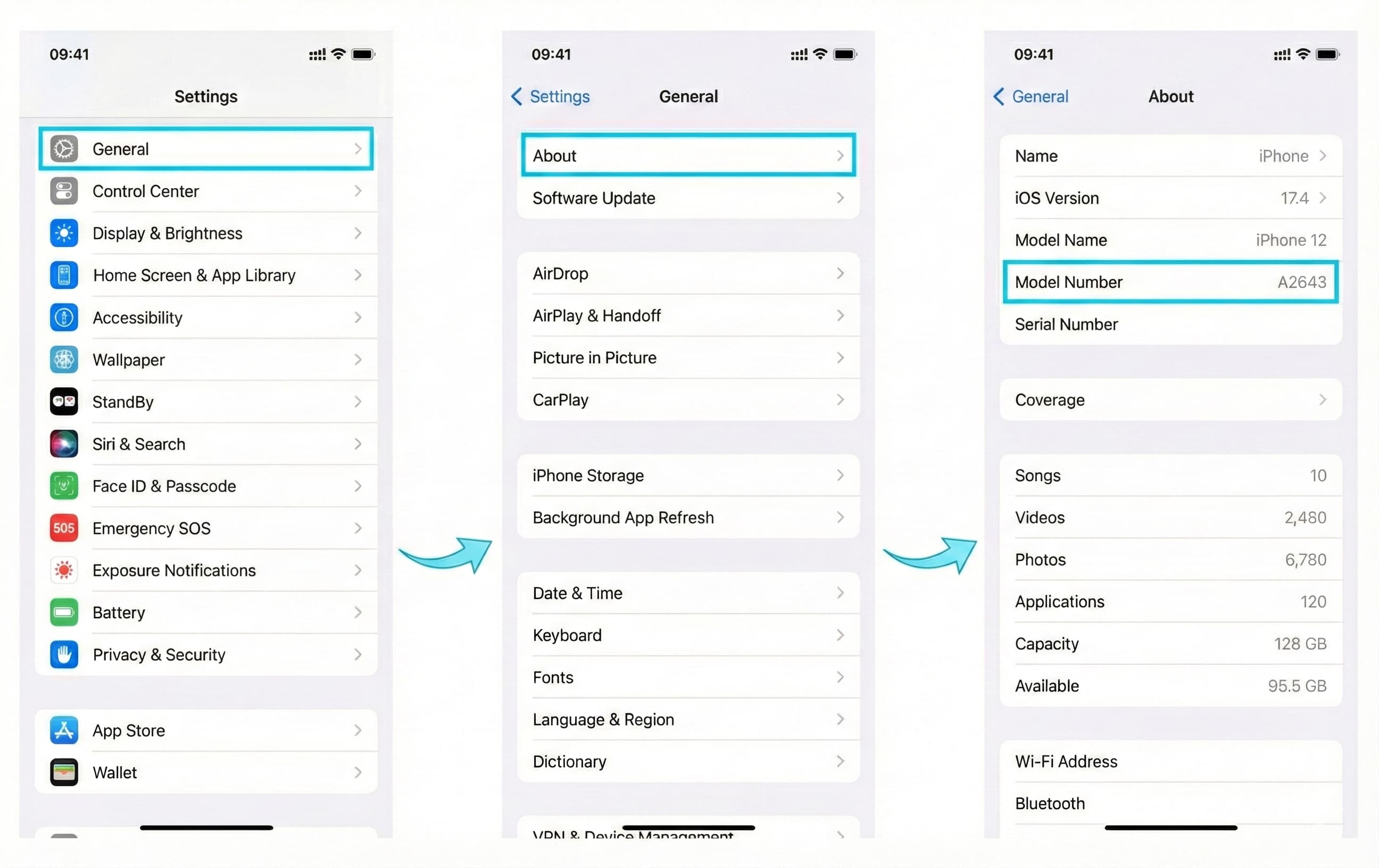
If the model number is not a regional version for the above regions, the hardware supports eSIM. Next, check the SIM lock status.
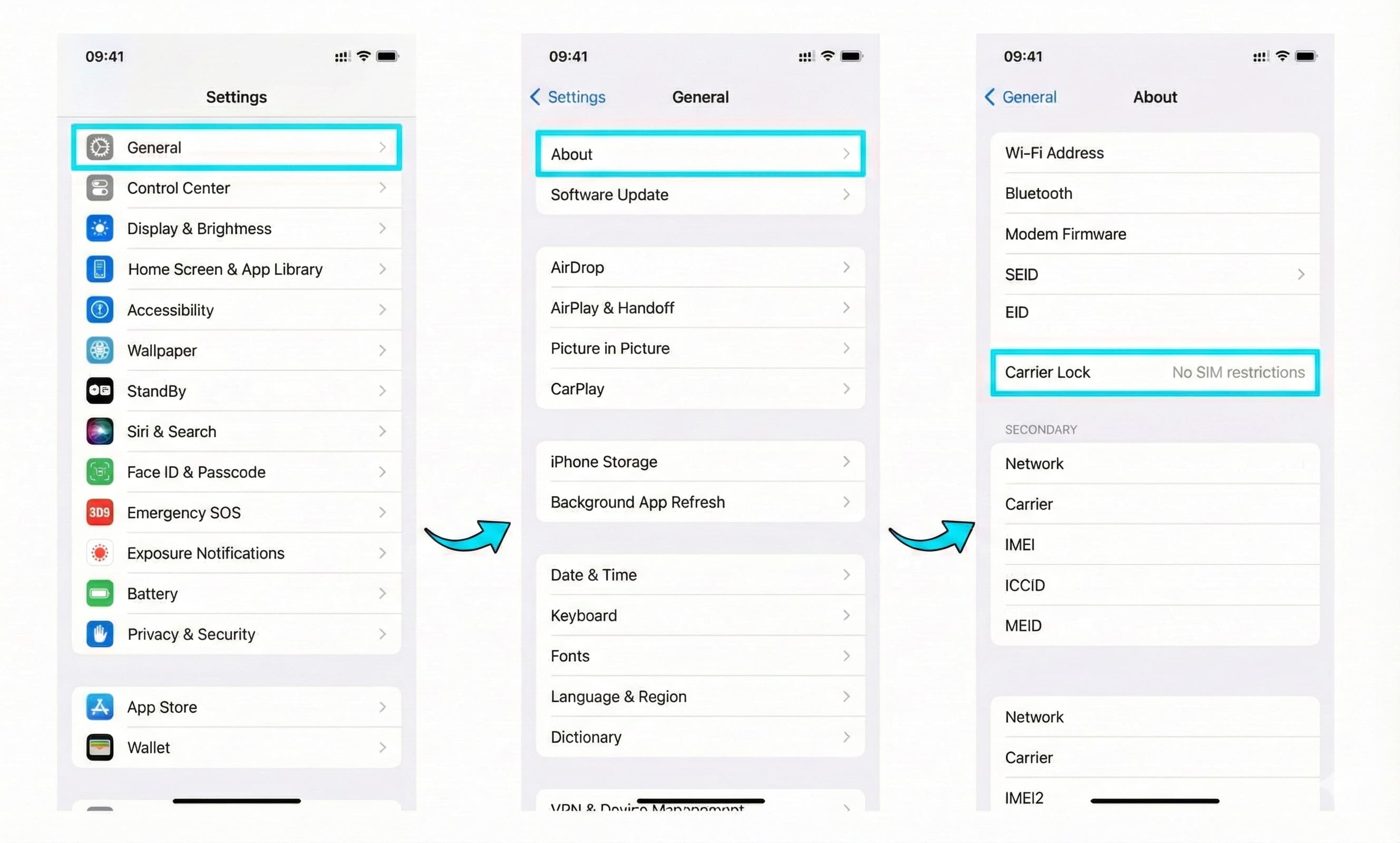
Step 2: Check SIM Lock Status
Even if the device itself is compatible, you cannot install eSIM if it is SIM-locked.
-
Continue displaying the "Settings" > "General" > "About" screen.
-
Scroll down and look for the "SIM Lock" (or "Carrier Lock") item.
-
If it shows "No SIM restrictions" here, your iPhone is SIM-free and you can use eSIM.
For iPad
To use eSIM on iPad, your device must first be a "Wi-Fi + Cellular model" (Wi-Fi-only models do not support eSIM).
Then, follow these steps to check the regional specifications.
-
Open the "Settings" app and tap "General".
-
Go to "About".
-
Tap "Model Number" to display a number starting with
A(e.g., A2588). -
Confirm that this model number is not a device for mainland China, Hong Kong, or Macau.
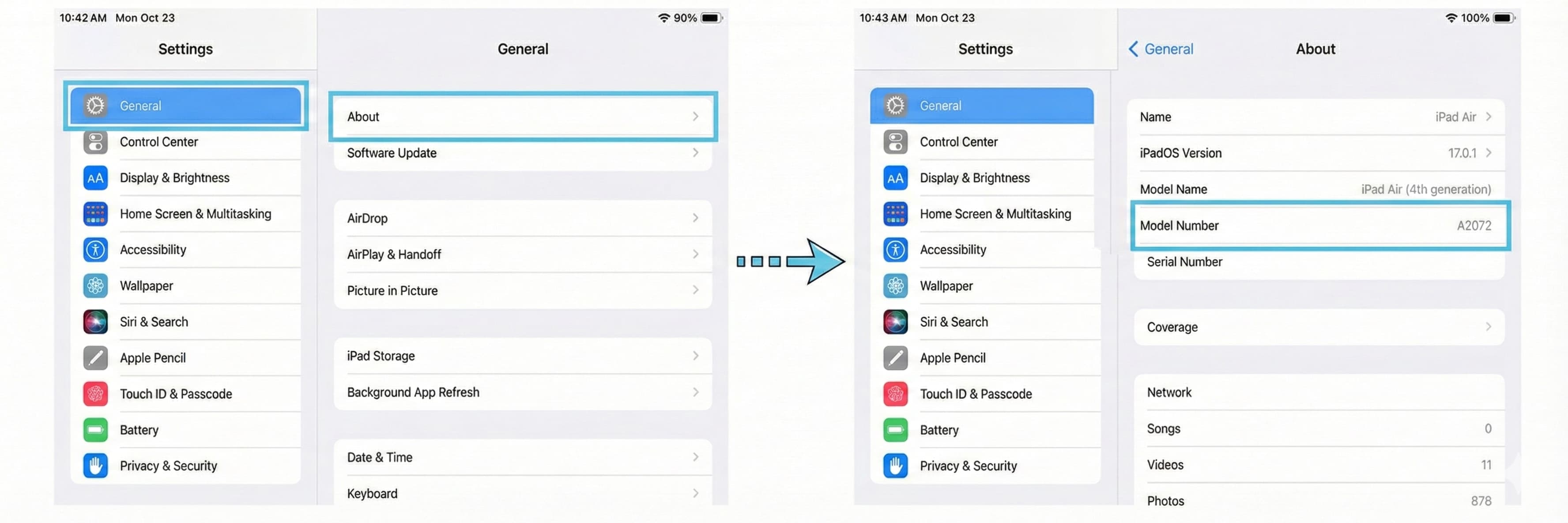
If the model number does not correspond to the regional versions mentioned above and it is a cellular-capable iPad, you can use eSIM.
If You Still Have Questions
If you're still unsure whether your device is eSIM-compatible after checking the above steps, please contact the device manufacturer, retailer, or your carrier to confirm "whether the device supports eSIM" and "whether the SIM lock is removed."